
Free for Windows · Made by our SLPs
Less time editing buttons. More time communicating.
AAC Editor adds, fixes, and arranges buttons on real TD Snap and Grid 3 pages. You check every change before it happens, and nothing leaves your computer.
Free · Version 2.3.0 · 26 MB · Windows 10 and 11
Review · 3 changes
- +Add “swing”
- +Add “slide”
- →“al done” to “all done”
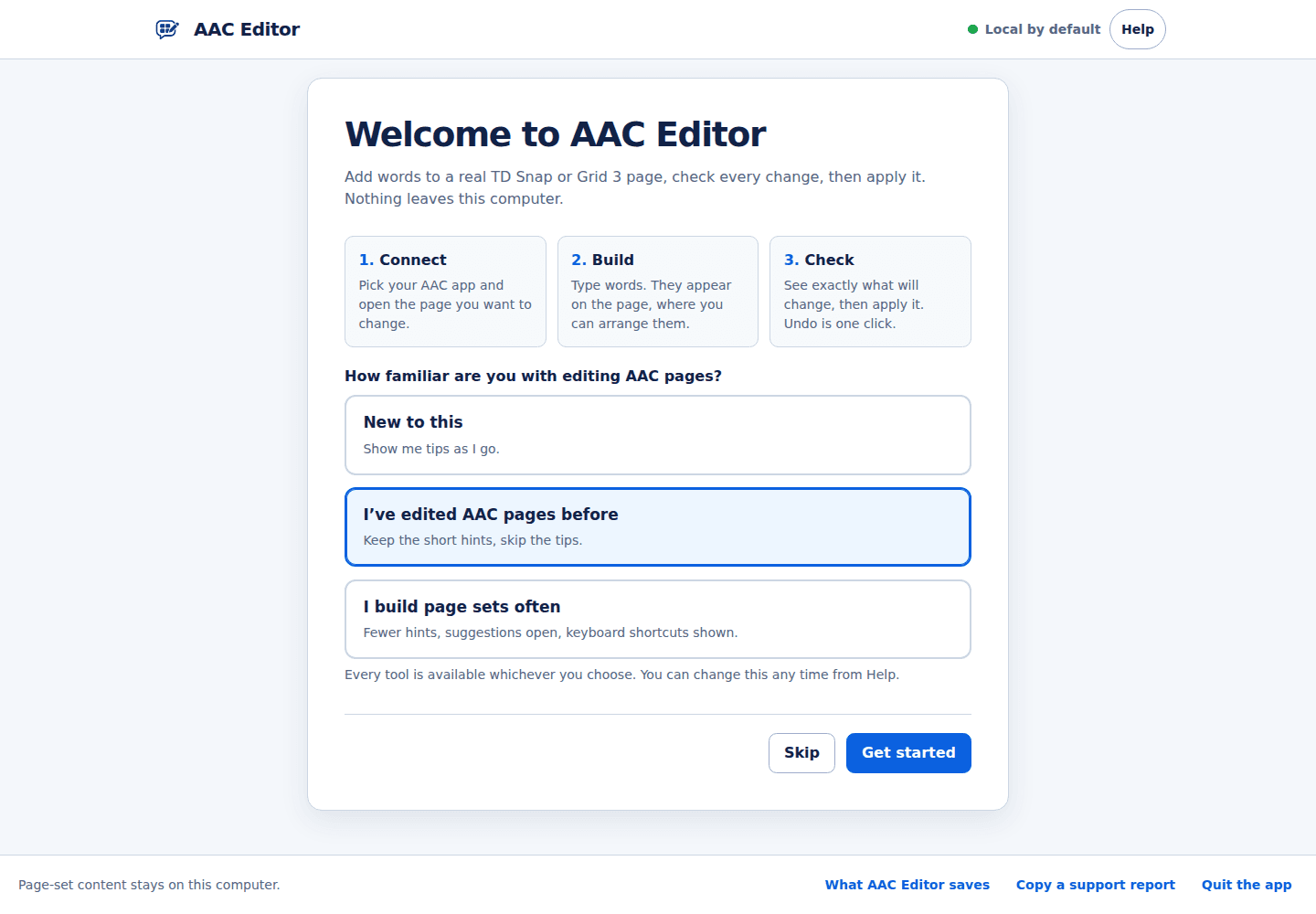
Three steps, every time
- 1
Connect
Pick TD Snap or Grid 3 and open the page you want to change.
- 2
Build
Type or paste words. They appear on the page, where you arrange them.
- 3
Check
See exactly what will change, then apply it. Undo is one click.
Edit the page that is already open
Add, fix, move, or remove buttons on the TD Snap page or Grid 3 grid you have open, so it keeps its existing sharing and sync identity.
Add many words at once
Paste a spreadsheet column, import a CSV, or build whole topic pages. Save a page as a template and reuse it across your caseload.
Review before anything runs
Every change is listed first, checked afterward, and can be undone. It never touches a button the review step did not name.
Optional AI that stays on your computer
Get word and phrase suggestions from a local model. Suggestions arrive as candidates you keep or discard.
Your words never leave your computer.
- No accounts, analytics, or tracking
- No update checks or crash reporting
- AI is optional and runs locally after a one-time model download
Installing for the first time
- 1Run the installer you downloaded. Python is not required.
- 2If Windows shows “Windows protected your PC”, choose More info, then Run anyway. The installer is not code-signed yet.
- 3Open AAC Editor from the Start menu and pick TD Snap or Grid 3.
Want to confirm the file is the one our public build produced? Compare it with the SHA-256 checksum.
Questions
Does it cost anything?
No. AAC Editor is free and open source under the MIT license. There is no trial, subscription, or account.
Which AAC apps does it work with?
TD Snap and Grid 3 on Windows. It edits the page you already have open, so your page set keeps its sharing and sync identity.
Why does Windows say it protected my PC?
The installer is not code-signed yet, so Windows SmartScreen asks before running it the first time. Choose More info, then Run anyway. You can compare the file with the published SHA-256 checksum first.
Will it ask for administrator approval?
Only for live Grid 3 editing, once each time you connect. TD Snap editing and exported files never do.
Ready when you are.
Free · Version 2.3.0 · 26 MB · Windows 10 and 11